Skip to content
Canadian Owned

SSD and NVMe recovery, at the controller and the NAND.

96%
Success Rate
17
Years Experience
24/7
Available
100%
Canadian Owned
SSD / NVMe: $1,500 CAD · Free cleanroom diagnosis · Free UPS Express to our lab · Full pricing →
🛡️ The DRG Recovery Promise

If we can't recover your data on a qualifying case, you don't pay for the recovery. Full stop. Since 2009.

Most data recovery labs won't put this in writing. We do, because our 96% success rate, our Tier 3 cleanroom, and 17 years of engineering depth mean we're confident enough to stand behind every qualifying case we take.

  • Diagnostic Promise Your device enters our Tier 3 cleanroom for a full engineer-led diagnostic. No software scans. No guesswork. You get a clear written quote before any recovery begins.
  • Recovery Promise On qualifying cases, if we can’t recover your data, you don’t pay for the recovery. We get paid for results, not for trying.
  • Privacy Promise Your recovered data is returned encrypted, and all copies are securely deleted from our systems after you confirm receipt.

Which cases qualify. Clicking drives, dropped drives, drives that won't spin, drives that aren't detected, covered. Most of what comes through our lab is. A few categories are quoted case-by-case instead, because the work is harder to guarantee: fire damage, previously-opened drives, encrypted drives, forensic cases, phones, and a short list of end-of-life models. We'll tell you which category you're in on the first call, before you ship anything, before you pay anything. Full list →

📞 Call 1-888-749-3786, confirm your case qualifies · 24/7
Before you call

The three questions everyone asks

How much does this cost?

Mechanical hard drive recovery is $2,500 CAD. Flash media (USB, SD, microSD) and SSD or NVMe are $1,500 CAD. Fixed, not an estimate. Includes the donor drive, your data back on a new drive, and UPS Express shipping. RAID, NAS and server: $450 CAD per drive to assess, credited in full. Full price list →

Is my device actually recoverable?

Usually, yes. Our success rate across all cases is 96%. The biggest risk is what happens between now and when it reaches us. Power it off, do not open it, do not run software, and call: an engineer will tell you where you stand in 15 minutes. More on outcomes →

What should I NOT do right now?

Do not power it on again. Do not put it in the freezer. Do not open it. Do not run recovery software. Do not follow a YouTube fix. Every one of those can turn a recoverable device into an unrecoverable one. Unplug it and call us. Full list on the FAQ page →

SSD & NVMe Recovery FAQ

Yes, in most cases. Even when an SSD is completely unresponsive or not detected by your computer, the NAND flash memory chips still hold your data. The controller or firmware has failed, but the data itself remains on the chips. Our engineers use specialized tools to read the raw NAND chips directly, bypassing the failed controller. We recover data from dead SSDs with a 96% success rate. The key is acting fast. Power off the drive and contact us at 1-888-749-3786.
TRIM can make recovery more difficult, but not always impossible. When TRIM runs, it tells the SSD to erase blocks that are no longer in use, which can permanently destroy deleted data. However, TRIM does not always execute immediately. Some drives queue TRIM operations, some operating systems batch TRIM commands, and external SSDs connected via USB often do not support TRIM at all. The critical factor is time: power off your SSD immediately after data loss to prevent TRIM from running. Do not run recovery software. It can trigger additional TRIM operations.
NVMe and SATA SSDs use different interfaces, controllers, and firmware architectures, which means different recovery techniques. NVMe drives communicate through the PCIe bus and often have more complex controller architectures with higher channel counts. SATA SSDs use the older AHCI protocol with different command sets. Both store data on NAND flash chips, but the firmware structures, encryption methods, and data mapping differ significantly. Our lab has the specialized tools for both interfaces, and our engineers are trained on the specific controller architectures from Samsung, Western Digital, Crucial, Intel, and other manufacturers.
SSD and NVMe recovery pricing is published: $2,500 CAD for mechanical hard drive recovery, $1,500 CAD for flash, SD, microSD, USB, SSD and NVMe. Diagnosis is free. RAID, NAS and server cases are $450 CAD per drive to assess, credited in full. Once our engineers have assessed your drive, they\'ll give you a clear written quote before any recovery work begins. You approve the quote, or you walk away. No surprises. Call 1-888-749-3786an engineer will walk you through your specific situation in 15 to 20 minutes. 24/7.
Standard SSD recovery typically takes 3 to 7 business days after the drive arrives at our lab. Simple firmware repairs may complete faster. Complex cases involving NAND chip-off, data reconstruction, or severe firmware corruption may take 7 to 14 business days. Emergency priority service is available for time-critical situations. Call 1-888-749-3786 and we will expedite your case. We keep you updated at every stage of the recovery process.
The single most important thing: power off the SSD immediately. Do not attempt to use data recovery software. This triggers additional writes and TRIM operations that can permanently erase your data. Do not keep restarting your computer hoping the drive will appear. Do not open the SSD enclosure or attempt to resolder components. Do not take it to a general computer repair shop. Most do not have the tools for SSD recovery and may cause additional damage. Power it off, call us, and we will guide you through safe handling and shipping.
If you have the encryption key or password, yes. Many modern SSDs use AES-256 hardware encryption by default. The data is encrypted as it is written to NAND. If the controller fails but the encryption key is stored in the drive's firmware area, we may be able to extract it as part of the recovery process. Without the key, recovery of readable data is typically not possible due to the strength of modern encryption. Contact us with your specific situation and we will provide an honest assessment.
Yes. We recover data from Apple proprietary SSDs found in MacBook Air, MacBook Pro, iMac, and Mac Pro models, including those with T2 security chips and Apple Silicon (M1/M2/M3/M4). Apple uses custom NVMe controllers and unique firmware that most recovery labs cannot work with. Our engineers have the specialized tools and experience to handle Apple's SSD architectures. Contact us with your Mac model and we will advise on the best recovery approach.
How fast do you need it

Two speeds, and the price of each

Every case gets the same lab, the same engineers and the same guarantee. The only thing that changes is where your drive sits in the queue.

Includedno extra charge

Standard

Most cases are back with the client inside a few days. Complex mechanical and RAID work can take two to three weeks. You get a specific timeline with your assessment results, before you approve anything.

Same lab, same engineers, same guarantee
+$500CAD

Emergency, 24/7

Your systems are down and every hour is costing you. A crashed array, a production server offline, a court deadline this week. Your drive goes to the front of the queue and stays in production around the clock, nights and weekends included, until it is finished.

Added to the recovery fee only

What every case includes, at either speed

An engineer on the phone in 15 to 20 minutes, 24/7

Tier 3, ISO Class 100 cleanroom

PC-3000 imaging and firmware repair

Free UPS Express to our lab, fully insured

Written quote before any recovery work

No Data, No Charge on qualifying cases

Recovered files returned encrypted

Every copy deleted once you confirm receipt

Call 1-888-749-3786 Tell the engineer how fast you need it. They will tell you which speed your case needs, and what it costs, on the first call.

Every SSD Form Factor. Every Controller.

From consumer laptops to enterprise servers, we recover data from all solid-state drive architectures, regardless of manufacturer, capacity, or interface type.

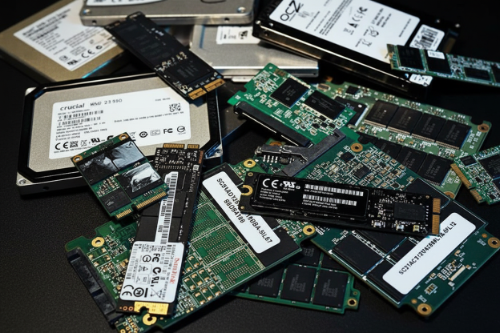
M.2 NVMe

The fastest consumer and enterprise SSD interface. Samsung 970/980/990, WD Black, Crucial P-series, Intel 670p, and all PCIe Gen 3/4/5 NVMe drives. Controller failures and firmware corruption are the most common failure modes.

M.2 SATA

Same M.2 form factor but using the SATA protocol instead of NVMe. Found in many budget laptops and ultrabooks. Different controller architecture requires different recovery approach than NVMe variants, our tools handle both.

2.5" SATA SSD

The most common SSD form factor in desktops and older laptops. Samsung 860/870 EVO, Crucial MX500, WD Blue, Kingston A400. Handles SATA III interface at up to 550 MB/s. We recover from controller failure, bad blocks, and firmware bugs.

mSATA

Mini-SATA drives used in older ultrabooks, industrial equipment, and embedded systems. Compact form factor with unique connector pinout. We have the adapters and tools to diagnose and recover data from all mSATA drives.

PCIe Add-in Card

Enterprise and high-performance PCIe SSDs that plug directly into PCIe slots. Intel Optane, Samsung PM series, and workstation drives. Higher complexity recovery due to enterprise-grade controllers and larger NAND arrays.

Enterprise NVMe

U.2 and U.3 form factor SSDs used in servers and data centres. Samsung PM1733, Intel D7-P5600, Micron 9400. Complex multi-die architectures with enterprise firmware. We have the tools and experience to handle enterprise-grade SSD recovery.

NAND Flash Recovery Requires a Different Approach

Unlike hard drives with spinning platters, SSDs store data in NAND flash memory chips controlled by complex firmware. When that firmware fails, standard software tools cannot reach your data. Our engineers work at the chip level to bypass the controller and read raw NAND directly.

Why SSDs Fail, And What We See in the Lab

SSDs fail differently than hard drives. There are no moving parts to break, but firmware corruption, controller failure, and NAND wear are just as devastating to your data. Here are the most common SSD failures we recover from.

Firmware Corruption

The SSD's internal firmware manages how data is written, read, and organized across NAND chips. When firmware becomes corrupted (due to a failed update, power loss during a write operation, or a manufacturing defect) the drive may become completely unresponsive. The data remains intact on the NAND, but the controller can no longer access it. Our engineers bypass the controller to read data directly from the chips.

Controller Failure

The SSD controller is the brain of the drive, it manages all read/write operations, error correction, wear leveling, and garbage collection. When a controller chip fails due to a power surge, overheating, or component degradation, the SSD appears dead. Your operating system sees nothing. We use specialized equipment to communicate directly with the NAND flash chips, bypassing the failed controller entirely.

NAND Wear & Bad Blocks

Every NAND flash cell has a limited number of write cycles, typically 1,000 to 100,000 depending on the technology (SLC, MLC, TLC, QLC). As cells wear out, the drive develops bad blocks. Once enough blocks fail, the SSD either becomes read-only, shows reduced capacity, or stops functioning entirely. We can often recover data from worn NAND by reconstructing the data map and applying advanced error correction.

Deleted Partition / Formatting

Accidentally deleted your partition table, formatted the wrong drive, or lost your data during an operating system reinstallation? If TRIM has not yet erased the underlying blocks, your data may still be recoverable. Time is critical, the longer the SSD remains powered on after deletion, the more likely TRIM will zero out the freed blocks. Power off and contact us immediately.

Power Surge / Electrical Damage

A sudden power surge or unstable power supply can burn out SSD controller chips, voltage regulators, or capacitors. This is especially common with cheap power supplies, unprotected power strips, and lightning strikes. The NAND flash chips themselves are often undamaged. The data is still there. We assess the damage, repair or bypass the failed components, and recover your data.

Why SSD Recovery Is More Complex Than Hard Drive Recovery

Hard drive recovery follows a relatively well-understood process: open the drive in a cleanroom, repair or replace the heads, image the platters, and reconstruct the data. The data on a hard drive platter is stored sequentially in a way that mirrors the logical file system. SSD recovery is fundamentally different.

SSDs scatter your data across dozens or hundreds of NAND flash chips using complex algorithms managed by the drive's controller firmware. Wear leveling constantly moves data between cells to distribute write wear evenly. Garbage collection reorganizes free space in the background. The physical location of your data on the NAND bears almost no resemblance to its logical position in your file system.

This means that even after successfully reading the raw NAND chips, our engineers must reconstruct the drive's translation layer. The firmware mapping table that tells the controller where each piece of data is stored. Without this map, the raw data is like a massive jigsaw puzzle with no picture on the box. Our proprietary tools and 17 years of experience allow us to reconstruct these maps and recover your complete file system.

This complexity is why SSD recovery can sometimes cost more than hard drive recovery. It requires specialized equipment, deeper expertise, and more engineering time. But the success rate speaks for itself: we recover data from SSDs that other labs declare unrecoverable.

The TRIM Command: Why Every Second Counts After SSD Data Loss

Is my data gone? That is the first question we hear from every SSD recovery client. The answer depends largely on one thing: whether TRIM has run since the data was lost.

TRIM is a command that modern operating systems send to SSDs to tell them which data blocks are no longer in use. When you delete a file on a hard drive, the data stays on the platter until it is overwritten. When you delete a file on an SSD, the operating system sends a TRIM command that tells the drive to erase those blocks, and the SSD can execute that erasure almost immediately in the background.

Once TRIM has erased a block, that data is gone permanently. No lab in the world can recover data from a TRIMmed NAND cell. However, TRIM does not always run instantly. Some drives queue TRIM operations. Some operating systems batch TRIM commands. External SSDs connected via USB often do not support TRIM at all.

This is why we tell every client the same thing: power off your SSD immediately after data loss. Do not attempt to use recovery software. Running any software on the drive can trigger additional TRIM operations. Do not restart your computer. Unplug the drive, or shut down the system, and call us at 1-888-749-3786. We will walk you through the safest way to ship your drive to our lab.

What NOT to Do After SSD Data Loss

  • Do not run data recovery software on the SSD, it triggers TRIM and additional writes
  • Do not keep the SSD powered on. Background garbage collection can erase data
  • Do not attempt to reinstall your operating system on the same drive
  • Do not open the SSD or attempt to resolder components yourself
  • Do not repeatedly power the drive on and off. Each boot attempt can cause further firmware damage
SSD data recovery showing NAND flash chips under microscope

Why SSD Recovery Is Different

When an SSD arrives at our London, Ontario lab, the first thing our engineers determine is whether the failure is logical (firmware, file system) or physical (controller, NAND damage). This distinction determines the entire recovery path.

For firmware failures, we use manufacturer-specific tools to repair or bypass the damaged firmware and access the data through the drive's native interface. For controller failures, we desolder the NAND flash chips and read them individually using specialized programmers, a process called chip-off recovery.

The raw data from the NAND chips must then be reassembled. SSD controllers use proprietary data scrambling, XOR patterns, and page mapping that vary by manufacturer and model. Our engineers reverse-engineer these patterns using our library of controller firmware, built over 17 years and thousands of SSD recoveries.

NAND flash chip-off for dead controllers
Firmware repair for corrupted translation tables
TRIM-aware imaging to preserve remaining data
XOR and data scrambling pattern reconstruction
ISO Class 100 cleanroom environment

Ship it. We diagnose it. Your data comes back. Five steps, complete transparency.

01

Contact Us

Call 1-888-749-3786 or submit your case online. A real engineer responds in 15 to 20 minutes to discuss your SSD failure and guide you through safe handling. We will determine the best recovery path before your drive ever leaves your hands.

02

Free Prepaid Shipping

We send you a free prepaid UPS shipping label. Your SSD is fully insured in transit, both directions. Pack it securely (we provide instructions) and drop it off at any UPS location. Most devices arrive at our London, ON lab within 1 to 2 business days.

03

Lab Assessment

Our engineers perform a comprehensive diagnostic in our ISO Class 100 cleanroom. We identify the exact failure (firmware, controller, NAND wear) and determine what data is recoverable. You receive a detailed report and a complete recovery quote.

100% Canadian Owned
04

Recovery Process

Once approved, our engineers execute the recovery. For firmware failures, we repair the translation tables. For controller failures, we perform NAND chip-off and data reconstruction. You are updated throughout the process, no guessing, no silence.

05

Data Returned

We send you a full recovered file list for verification before shipping. Your data is returned on an encrypted external drive or via secure digital transfer. All copies are deleted from our systems upon your confirmation of receipt.

📞 Why Call First?
Why call before you do anything else?
When a drive fails, the worst thing you can do is guess. Every power-cycle of a clicking drive scrapes the platter. Every software scan on a failing SSD risks wear-leveling the last recoverable blocks into oblivion. Every failed RAID rebuild can destroy parity data permanently.
  • Exactly what's happening inside your device right now
  • Whether your case is a qualifying case for our No Data, No Charge guarantee
  • What NOT to do between now and the moment your drive arrives at our lab
  • A clear next step, whether you ship to us or not
No sales pressure. No obligation. Just a real engineer with cleanroom experience answering your questions.
📞 1-888-749-3786
24/7 · Engineer responds in 15 to 20 minutes

Drive failing right now? Every minute counts.

If your device is clicking, not detected, or physically damaged. Power it off and step away from it. Every second of power-on can make recovery harder. You don't need to diagnose it yourself. One call to a real engineer, 15 to 20 minutes, and you'll know exactly where you stand.

No sales pressure. No obligation. Just a trained cleanroom engineer on the phone, 24/7, walking you through exactly what to do next.

Start Emergency Case → Call 1-888-749-3786
Real engineer · Never a bot · Never a call center · 24/7 including nights and weekends

Independent data recovery laboratory. Data Recovery Group is not affiliated with Samsung, Western Digital, Crucial, Intel, Kingston, Micron, Apple, or any other device manufacturer or OEM. All brand names, product names, and trademarks referenced on this page are the property of their respective owners and are used solely for identification purposes. References to these brands do not imply endorsement or affiliation.

Before you call

Everything you need to decide, on one screen

You are probably holding a drive with something on it you cannot replace. Here is every answer, so the only thing left to do is pick up the phone.

What will it cost? $2,500 CAD mechanical · $1,500 CAD flash and SSD

Fixed, not an estimate. Includes the donor drive, your data back on a new drive, and UPS Express shipping. RAID, NAS and server: $450 CAD per drive to assess, credited in full. Full price list →

Will I actually get it back? 96% of the time, yes

And on qualifying cases, if we cannot recover your data the recovery fee is refunded in full. Clicking, dropped, won't spin, not detected: all covered.

How long will it take? 48 hours to 3 weeks

You get a specific timeline with your assessment results, before you approve anything. Cannot wait? Emergency service is +$500 CAD and keeps your case in production around the clock. Emergency service →

What do I do right now? Power it off. Then call.

Every extra minute a failing drive spends powered on can turn a recoverable case into an unrecoverable one. Unplug it and pick up the phone.

What not to do, starting now

  • Do not power it on again. Every spin-up of a failing drive does more damage.
  • Do not put it in the freezer. That myth has cost people their data.
  • Do not open it. One dust particle on an open platter ends the recovery.
  • Do not run recovery software on a failing drive. It writes to the disk you are trying to save.
  • Do not follow a YouTube fix, and do not let a computer shop try first. A failed attempt makes our job harder and usually voids the guarantee.

What to do instead

Unplug the device and leave it alone.

Call 1-888-749-3786. An engineer answers, 24/7.

In 15 minutes you will know whether your case is likely recoverable, what it costs, and whether it qualifies for No Data, No Charge.

We email a free UPS Express label. Insured, next-day, from any province or territory, and it costs you nothing.

Nothing is charged until you approve the price.

No Data, No Charge: which cases qualify

Clicking drives, dropped drives, drives that won't spin, drives that aren't detected: all covered. Most of what comes through our lab is. A few categories are quoted case-by-case instead, because the work is harder to guarantee: fire damage, previously-opened drives, encrypted drives, forensic cases, phones, and a short list of end-of-life models. We'll tell you which category you're in on the first call, before you ship anything, before you pay anything. Full list →

96% Success Rate
Since 2009 · 10,000+ drives recovered
15 to 20 Min Engineer Response
Real engineer, never a bot · 24/7
No Data, No Charge
On qualifying cases · The DRG Recovery Promise
Free UPS To Our Lab
Fully insured in transit
Privacy-First Lab
PIPEDA compliant
Trusted by our clients

Don't just take our word for it.

See what our clients say about getting their data back.

Great to work with, Paul kept me updated throughout the entire process and they were able to recover all of our data from a failed RAID array on our NAS. They worked with us every step of they way without being patronizing like a lot of tech places tend to be.

Dave Roy
Verified Google review

Great service. Great results recovering photos I had deemed lost

robert schneider
Verified Google review

Data recovery team really helped with my clicking hard drive! Got all my work and pictures back!! Plus my UWO discount was appreciated!!!

Maggie Douglas
Verified Google review

The support that the team gave me was thorough and timely! My data was recovered in a single interaction. Awesome !

Liz Czegeny
Verified Google review

Data Recovery Group was an amazing help!! They were fast, professional and able to recovery all our data!! Customer Service was fantastic! Would 100% recommend. - Jim & Melanie

James & Melanie Dodge
Verified Google review

Amazing help fixed a drive that was dead for me and saved my school semester! Thanks guys !

Victoria Porter
Verified Google review

Amazing help was able to Quickly recover a dead harddrive that I thought was a gonner. Amazing service

Victoria Porter
Verified Google review

My External Hard Drive With all my clients files Crashed, Nine years of records could not be accessed, I could not work without those records. DRG recovered them in 24 hrs getting me back in business by Monday morning. They were responsive and understanding. Thank goodness I called them.

Maureen Sheehy
Verified Google review

Pat and Data Recovery Group helped retrieve my parents photos from a crashed hard drive over the holidays in an incredibly quick and safe manner. Highly recommend if you find yourself In this unfortunate situation. Thanks Pat!

Gary Hawker
Verified Google review

Highly recommend Data Recovery Group. Very professional & extremely helpful, all of my data was recovered and I was kept informed throughout the whole process. Don't think twice if you have a dead drive with lost information. Thank you once again for the recovery of my data.

Rebecca Shepherd
Verified Google review

Though a broken external hard drive is a horrible thing to happen, the team (especially Paul) at Data Recovery group made it the most positive experience. They were exceptional fast and responsive, and recovered data that I was sure was gone forever. Compared to the big box stores, I believe I wound up paying less and had my files back in 2 days vs. the 4 to 8 weeks I was quoted from the other guys. I hope I never encounter a broken hard drive situation again, but if lightning strikes twice I know who to call right away!

Missy Bockmaster
Verified Google review

I am extremely happy with the service I received with Data Recovery Group. My laptop dropped from just a foot high and wouldn't turn on completely. It just kept saying "repairing". I called Asus and they recommended I have my data backed up before attempting to fix anything. I was very fearful of losing my children's pictures (foolishly not backed up) and I wouldn't trust just any company to help me out. After chatting with Paul I felt reassured I had called the right place with the best ability to help me out. My hard drive was damaged and they were successful in recovering most of my pictures which I am beyond thankful for! Paul has great communication skills and kept in contact with me throughout the process and helped me to copy my pictures from my new external hard drive he made me onto my new computer. He took the time to educate me on how to keep my pictures regularly backed up going forward. If you have anything very important to you I say don't take a chance going anywhere else!!

Janice Hall
Verified Google review
One call · answered 24/7 by an engineer, never a bot

Book your device in. It takes one phone call.

1-888-749-3786

Tell the engineer what happened. You will know in 15 minutes what it costs, whether it is recoverable, and what to do with the drive tonight.

100% Canadian owned · one lab in London, Ontario · your data never leaves Canada